SQL Optimization
IBM • Design Lead • Predictive AI • Data Visualization & Analytics
As design lead, I collaborated with product and engineering to give the SQL Optimization user the experience they deserved. Together we hashed out the strategic vision, collaborated to design an action oriented interface that instructed a users what to do next, and kept it happily within IBM's Carbon Design System.
What is SQL Optimization?
SQL Optimization is a core pillar of IBM’s Db2 AI for z/OS platform. The SQL Optimization pillar uses Predictive AI and monitoring to improve database performance and reliability.
Reduce
Uses predictive AI to lower CPU resources

Improve
AI optimizes SQL query access paths for better
performance
Enhance
Use AI to identify performance improvement

Optimization
Reduces administration time and simplifies management
Who Uses SQL Optimization?

System Administrator
- Monitor SQL statements and Predictive AI recommendations
- Start explorations for Predictive AI explorations
- Deploy Predictive AI recommendations
- Review recommendation details and history
How is SQL Optimization Used?
The slide show below is a common scenario a System Administrator would encounter when using SQL Optimization.
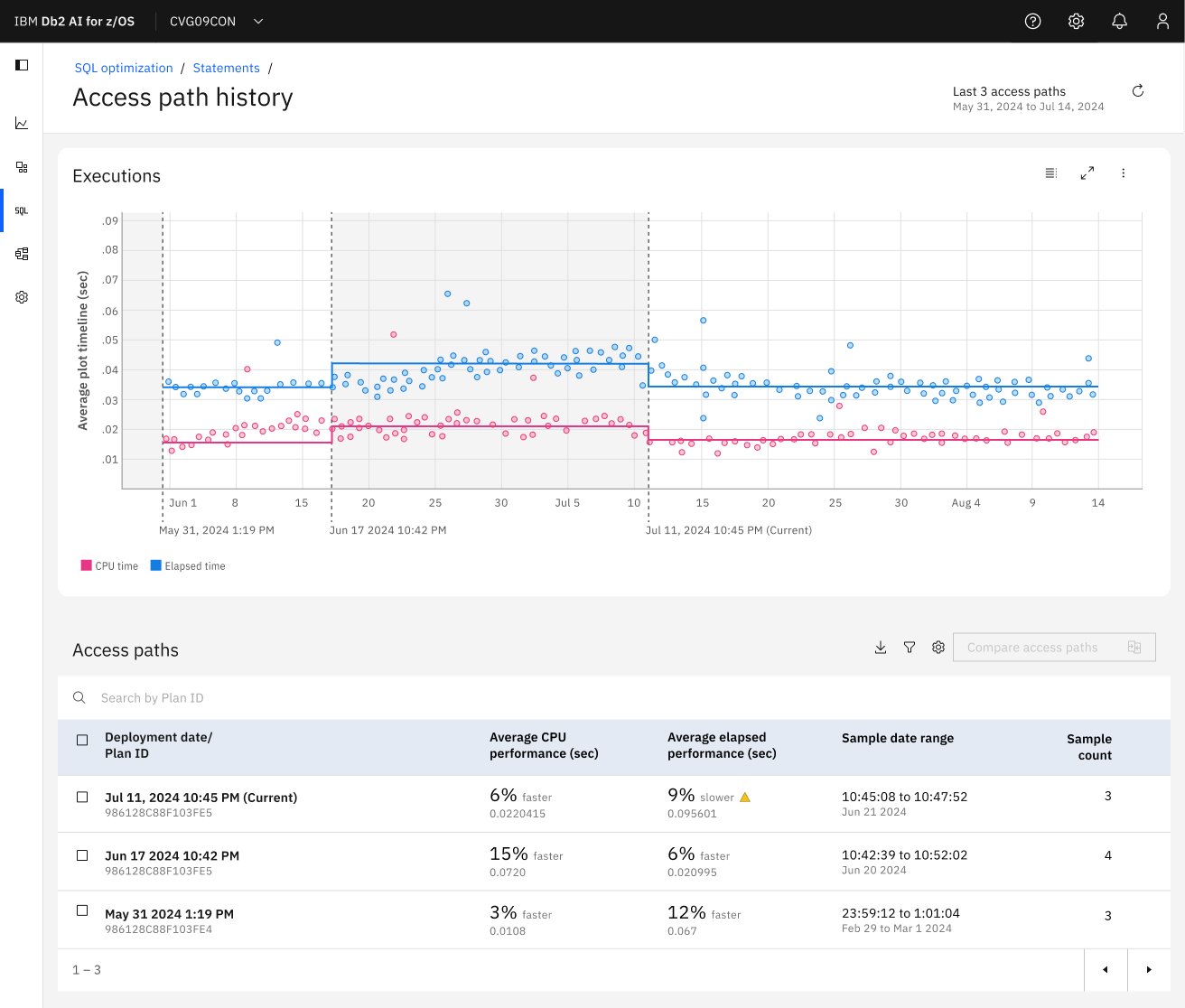
History
The History page gives the system administrator a detailed view of when
each deployment was executed and
how it compares to the mean.
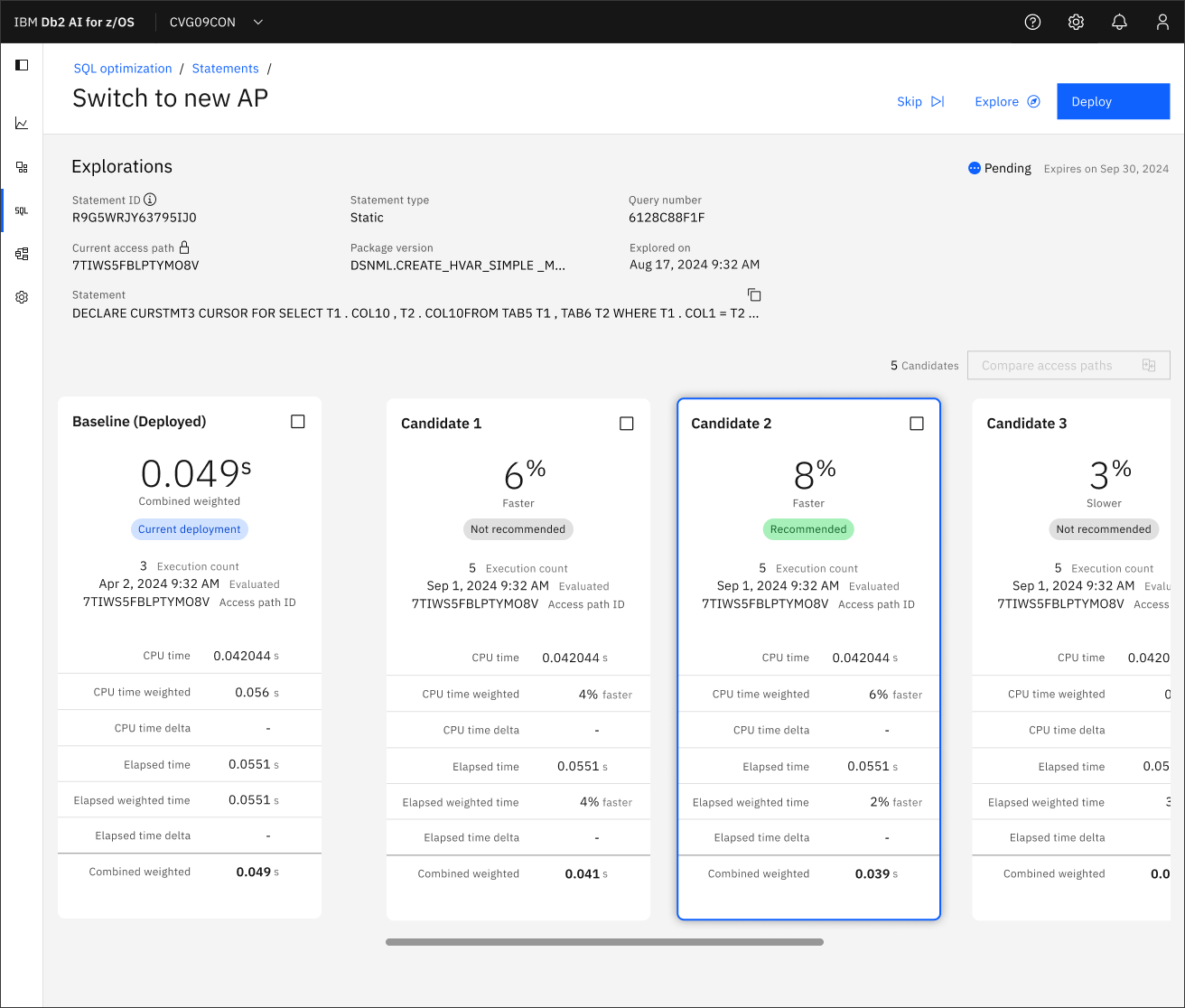


Compare
On the Candidates page a system administrator compares the current deployment with the Predictive AI recommendations to determine which candidate they want to deploy.
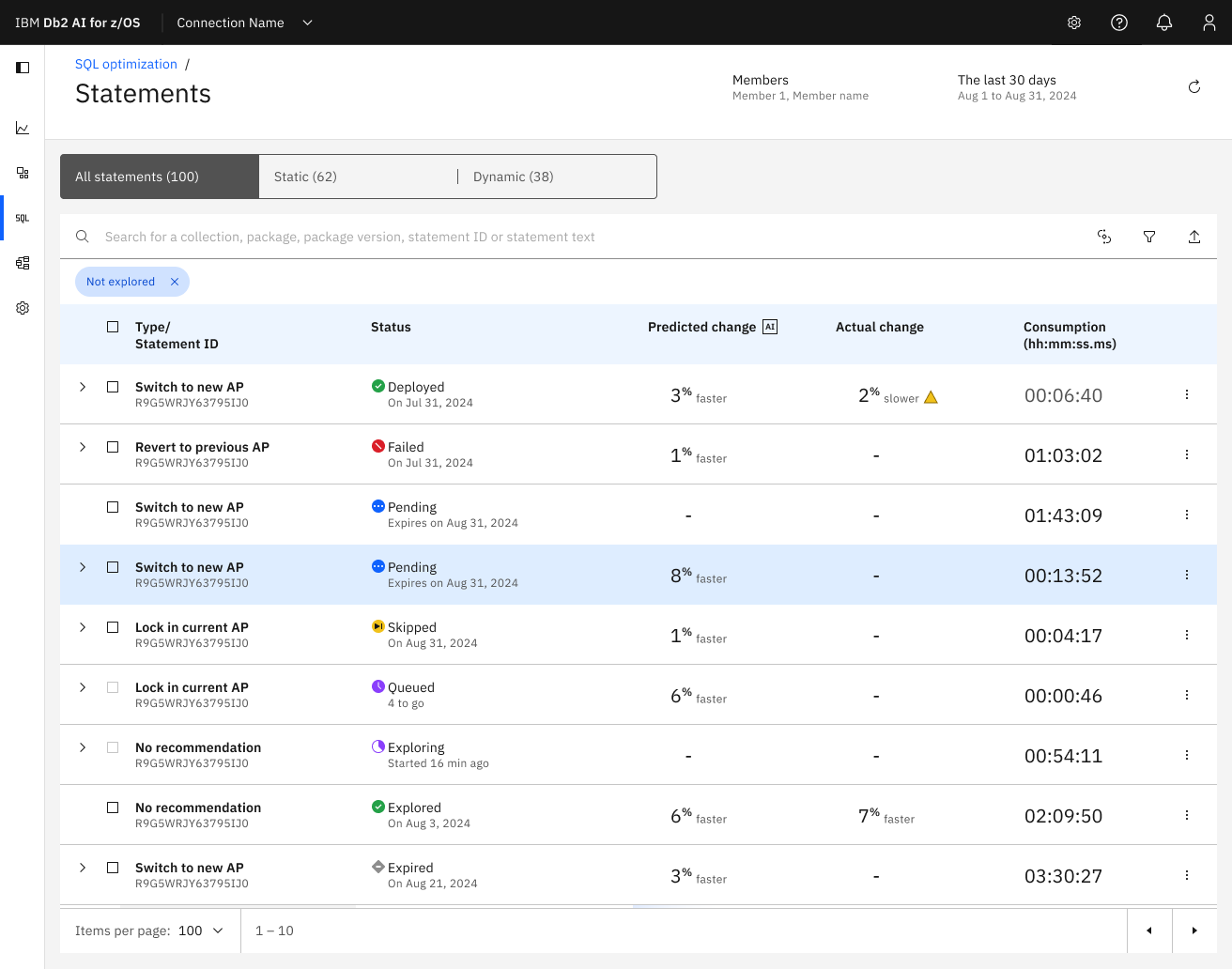

Start
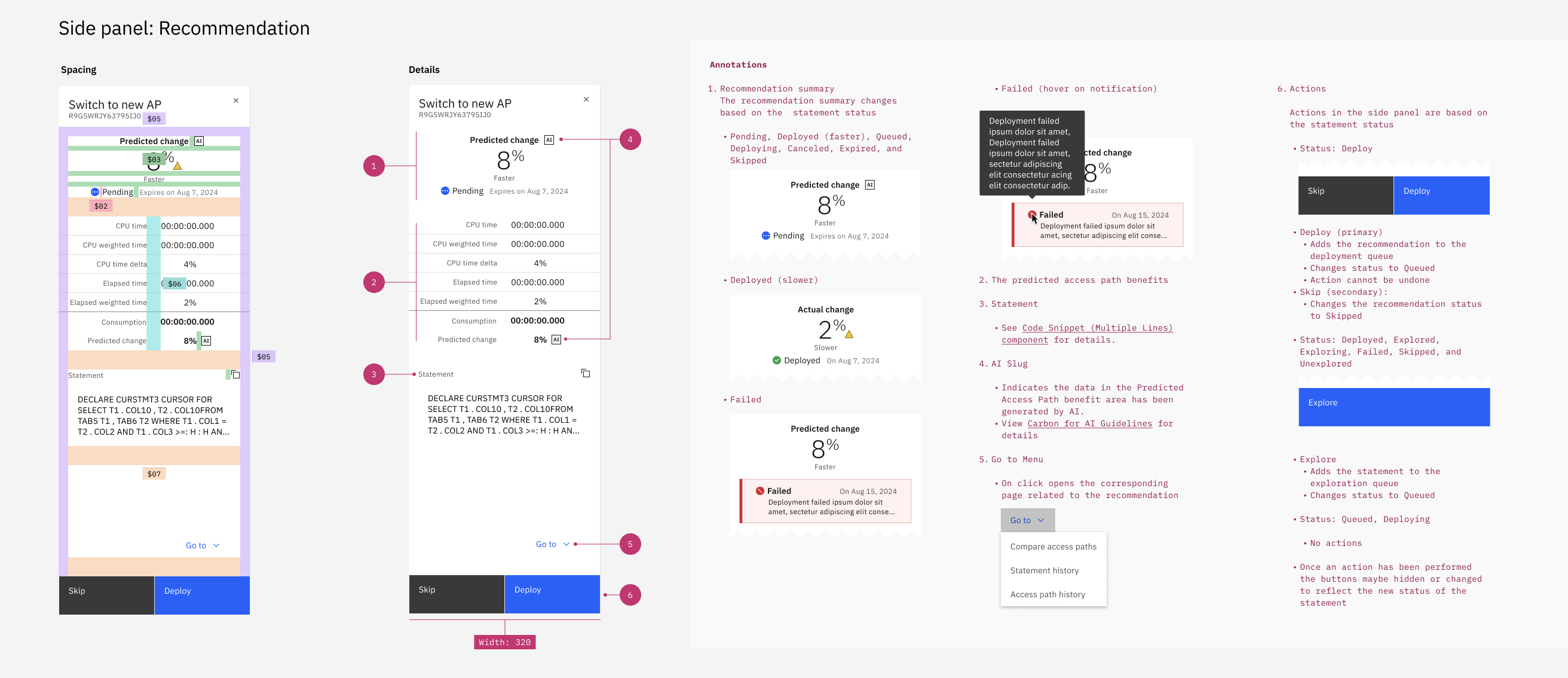
On the Statements page a system administrator can initiate an AI recommendation, review the status of recommendation, and view the predicted change vs. actual change of a recommendation.
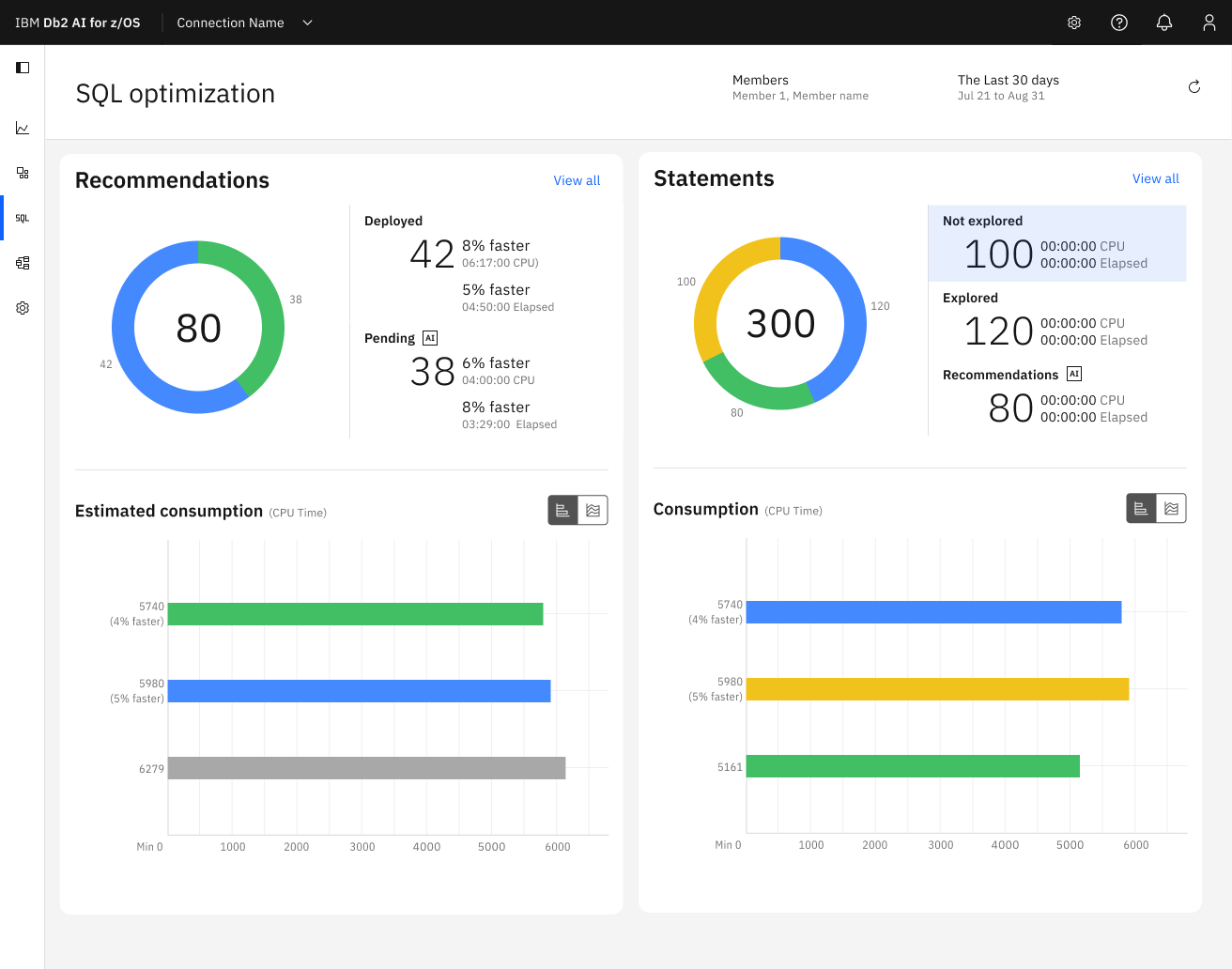
Monitor
From the dashboard a System Administrator monitors what SQL statements have AI recommendations and their deployment status.

Challenges
Product team had no prior experience working with UX designers

Formally introduced team to design methodologies and demonstrated how design would integrate into the team
Requirements continuously evolved throughout the project
Remained flexible to pivot design direction quickly and ensured the right stakeholders attended design reviews
Needed to develop product knowledge quickly
Conducted extensive whiteboarding sessions and created diagrams before beginning formal design work
Limited access to users and customers for research and feedback
Informally gathered feedback during customer calls and
leveraged the product team’s experience
Process
To get to a design solution I worked closely with the product management and the development teams to craft a strategic design vision for an action driven user experience. We collaborated to develop a persona, requirements, user stories, etc. to guide us through the design process.
High Level Requirements
Dashboard
Provide the system administrator with a holistic and actionable dashboard
Initiate
Enable a user to manually initiate Predictive AI recommendations
Structure
Allow a user to progressively learn recommendation
details
Standards
Assure the UI adheres to IBM’s Carbon design system
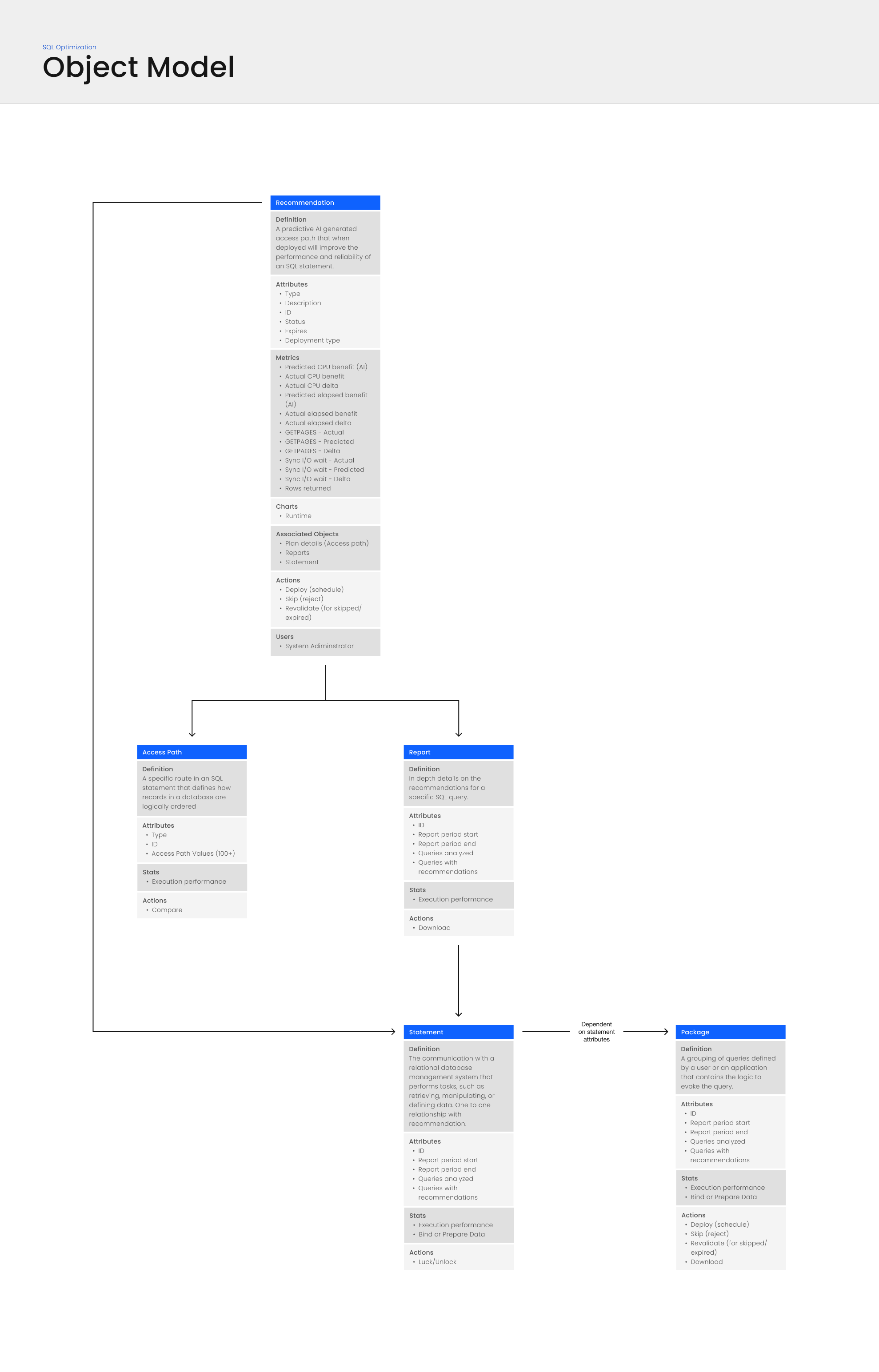
Object Model
First the design team and collaborated with development to develop an understanding of the building blocks of SQL Optimization.
We did this by working with the development team to create an object model. The object model gave us:
- Agreed upon common definition
- A list of all attributes
- Metrics
- Actions that can be taken on each object
The object model was helpful in establishing an agreed upon relationship and definition for each business object.
Lifecycle
To better understand how the System Administrator interacts with an AI Recommendation, I collaborated with the Development and Product Management teams to develop the recommendation lifecycle. This diagram proved valuable by establishing a single, agreed-upon definition of the different deployment states.
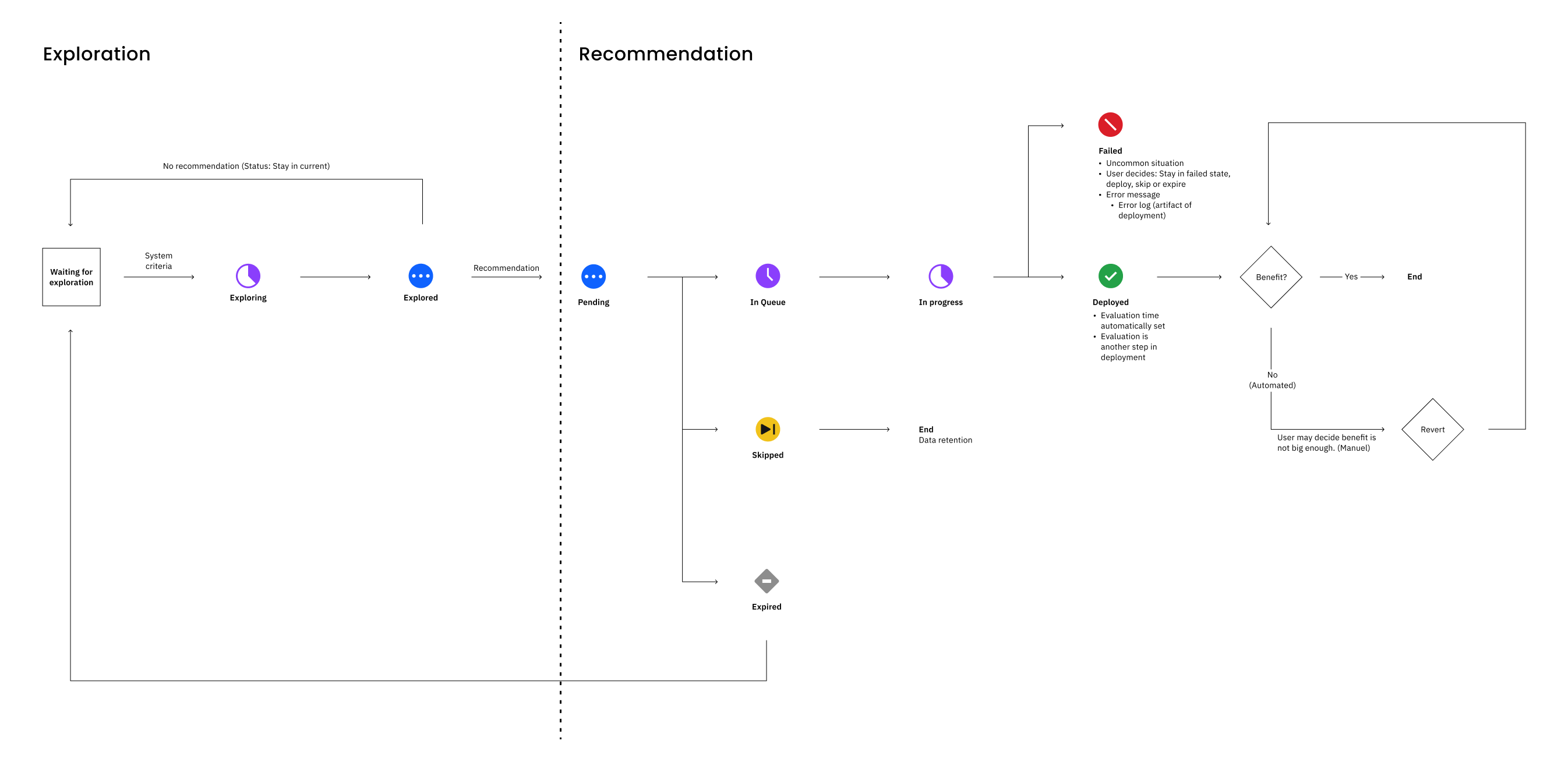
Primary lifecycle:
- An AI recommendation remains in the deployed state until the System Administrator initiates an exploration
- Once exploration completes, the AI Recommendation is created and becomes Pending
- If accepted, the AI Recommendation is added to the deployment queue, then deployed
The lifecycle repeats for as long as the deployment is necessary for the business.
Delivery
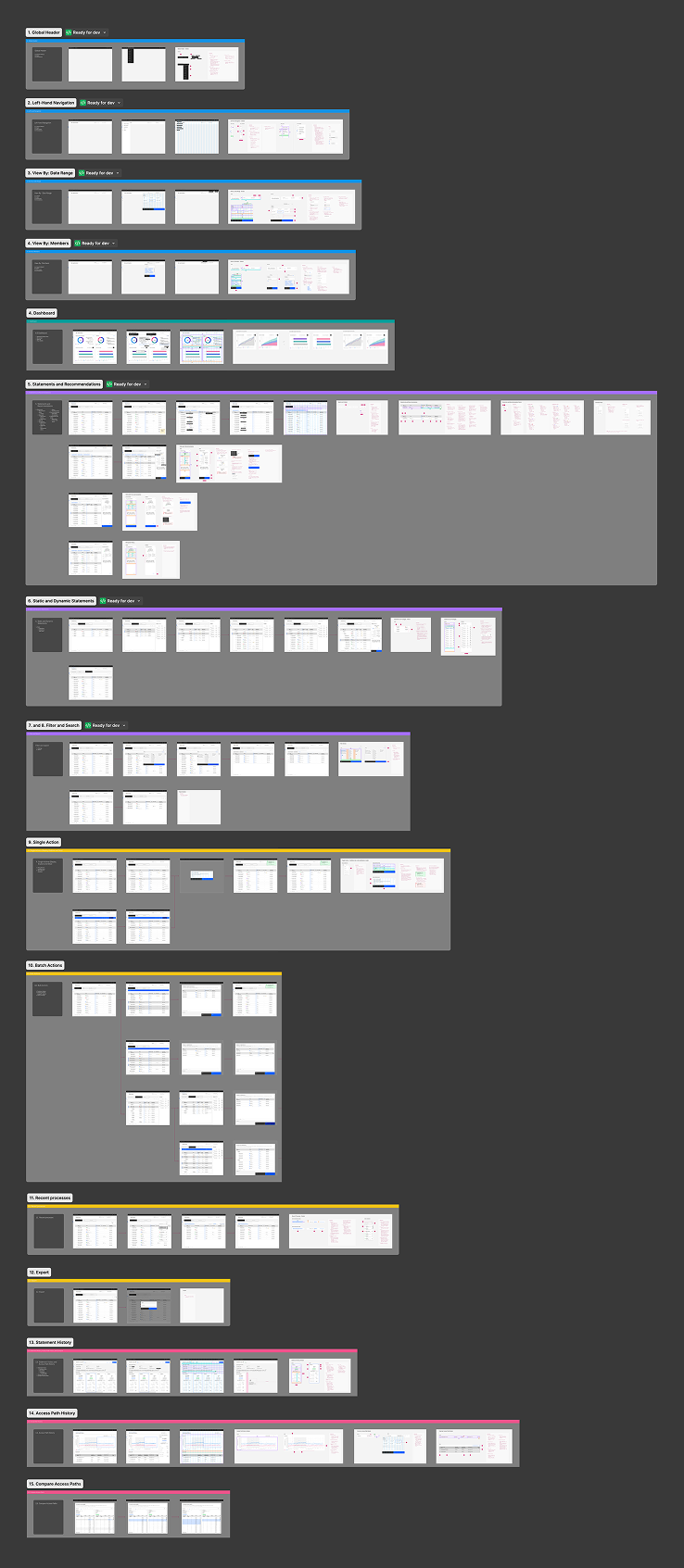
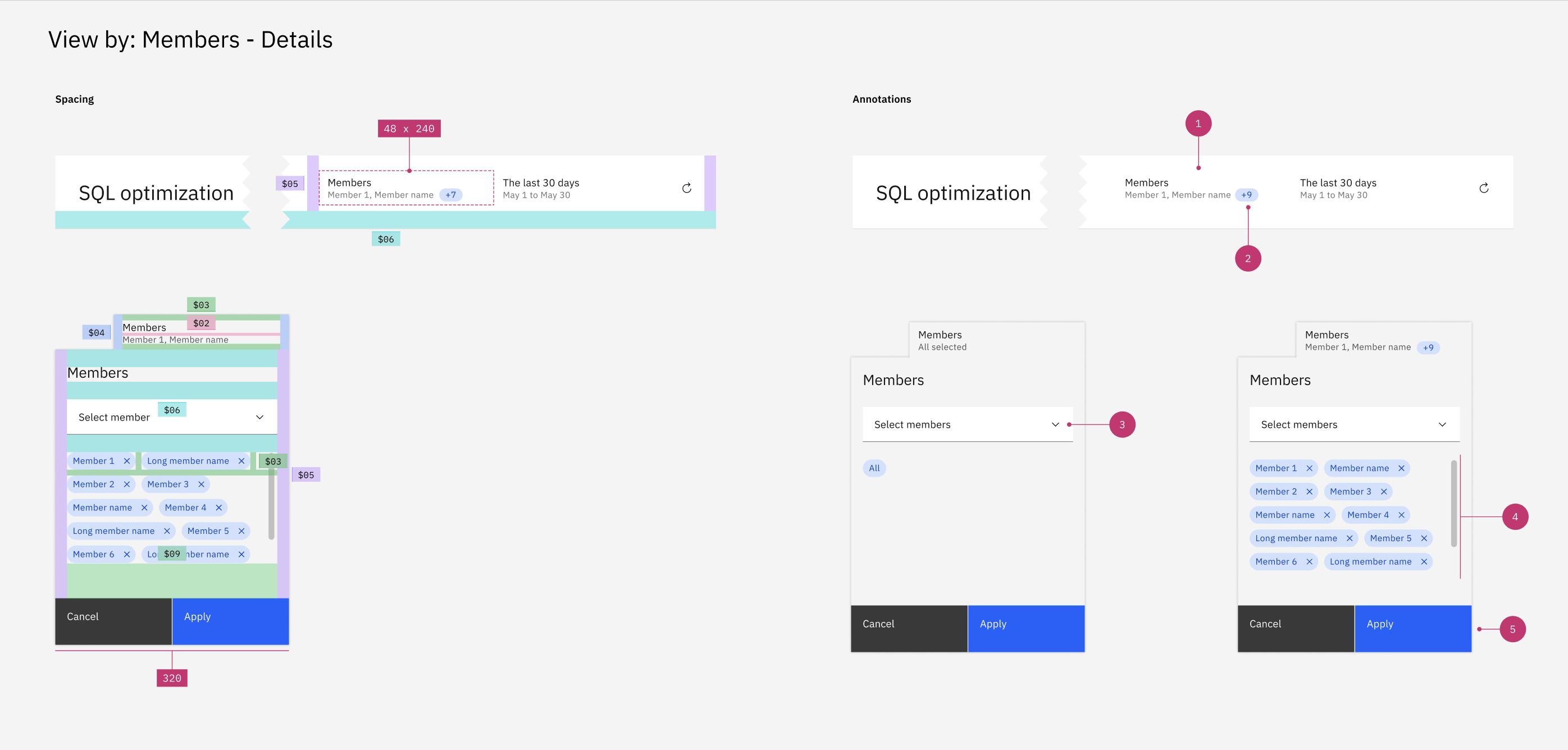
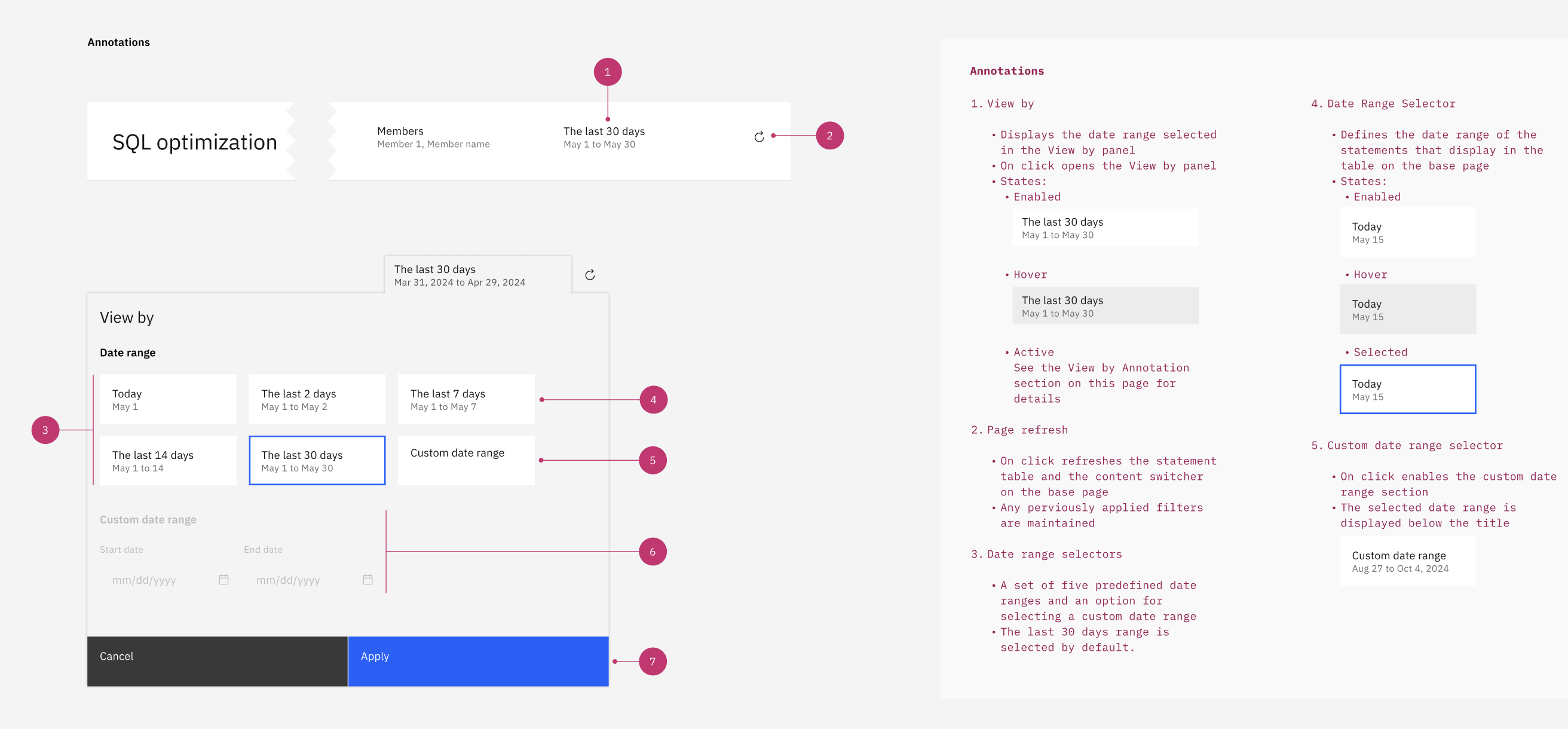
The final designs were created using Figma and were delivered to development. Throughout the final design process the design team members collaborated closely to assure terminology, style, and behaviors aligned across desktop and mobile.